3D Printing
AUTOMATED PRODUCTION SETUP
Problem: In a 3D-printing workflow tied to an e-commerce store, each order contains several parts as STL files, each with its own slicing parameters (infill density, supports, layer height...). Preparing a print bed by hand is time-consuming, and the slicer (OrcaSlicer) does not preserve individual per-part parameters when importing files in bulk.
Solution: A Python tool that pulls STL files from WooCommerce orders, combines them into an optimized print bed and outputs a .3MF file with slicing parameters embedded for each part, bypassing the OrcaSlicer limitation. A ready-to-print plate, in seconds.
ORDER
→
STL FILES
→
MERGE & PLACEMENT
→
.3MF PLATE
1
ORDER IMPORT
// e-commerce connection
- 01 Connect to the WooCommerce API and pull orders awaiting production
- 02 Identify the STL files tied to each ordered product
- 03 Automatically download the STL files and group them per print bed
Python
WooCommerce API
REST
2
PROCESSING & MERGING
// merge and optimization
- 04 Read and parse each STL file (geometry, dimensions, volume)
- 05 Automatically place the parts on the bed with proper spacing
- 06 Inject each part's slicing parameters into the .3MF (bypassing the OrcaSlicer limitation)
- 07 Combine everything into a single multi-object .3MF file, with each part keeping its own settings
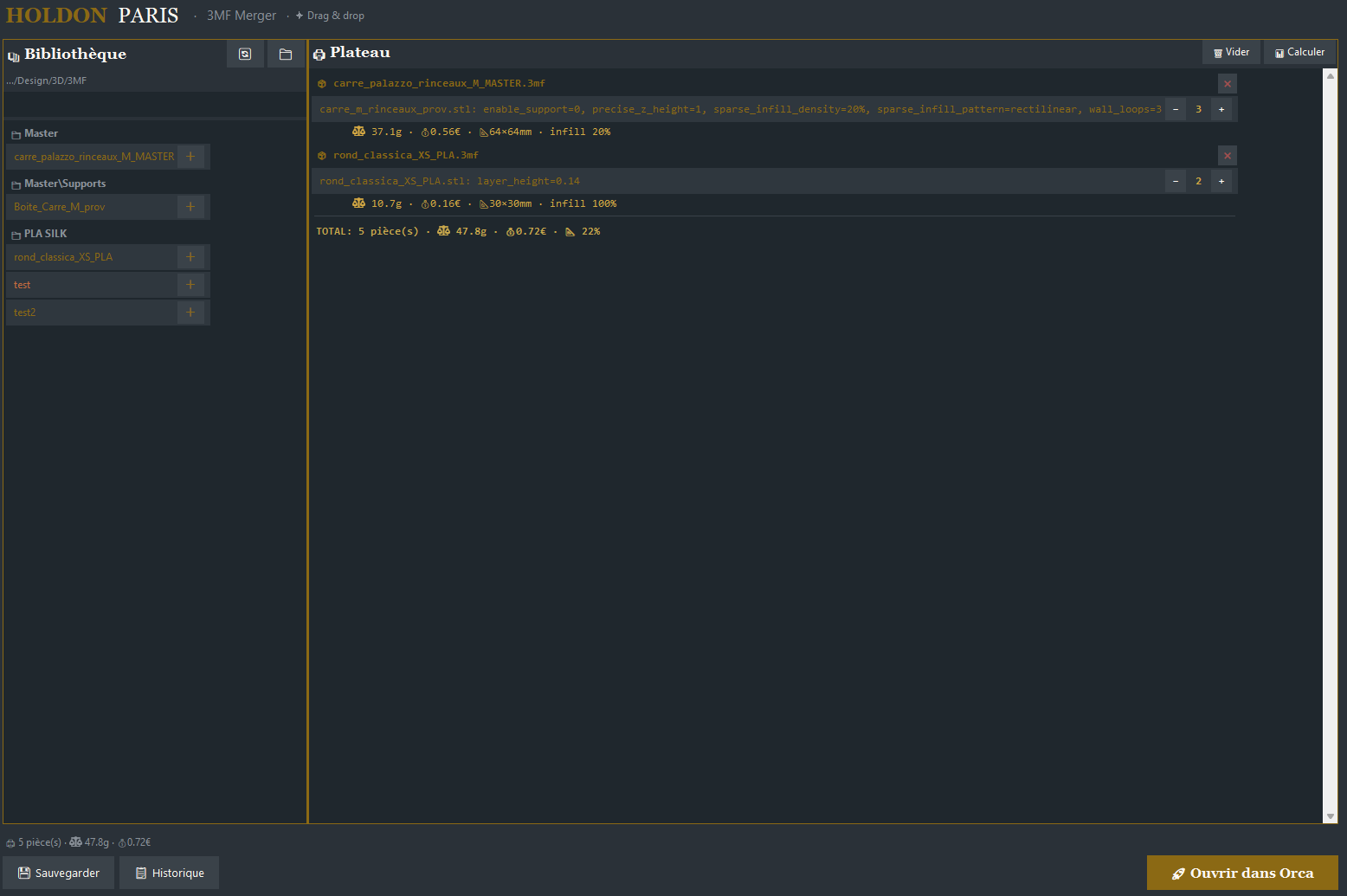
3D-printing production helper tool
Python
NumPy
STL Parser
3MF
3
READY TO PRINT
// export to OrcaSlicer
- 08 Generate an OrcaSlicer-compatible .3MF file with full metadata
- 09 Open it directly in the slicer: every part on the bed already has its individual parameters
- 10 Start the print: from order to print bed in seconds
OrcaSlicer
Claude Code
3D Printing